


Modern Professional
Clean, ATS-optimized design. Perfect for tech, creative, and marketing roles seeking maximum compatibility.
TechCreativeMarketing
Build a clean, ATS-ready CV for free. Paste a job ad and see your CV rewritten for it. No watermarks, no surprise charges.
Join 800+ job seekers building a CV that gets read
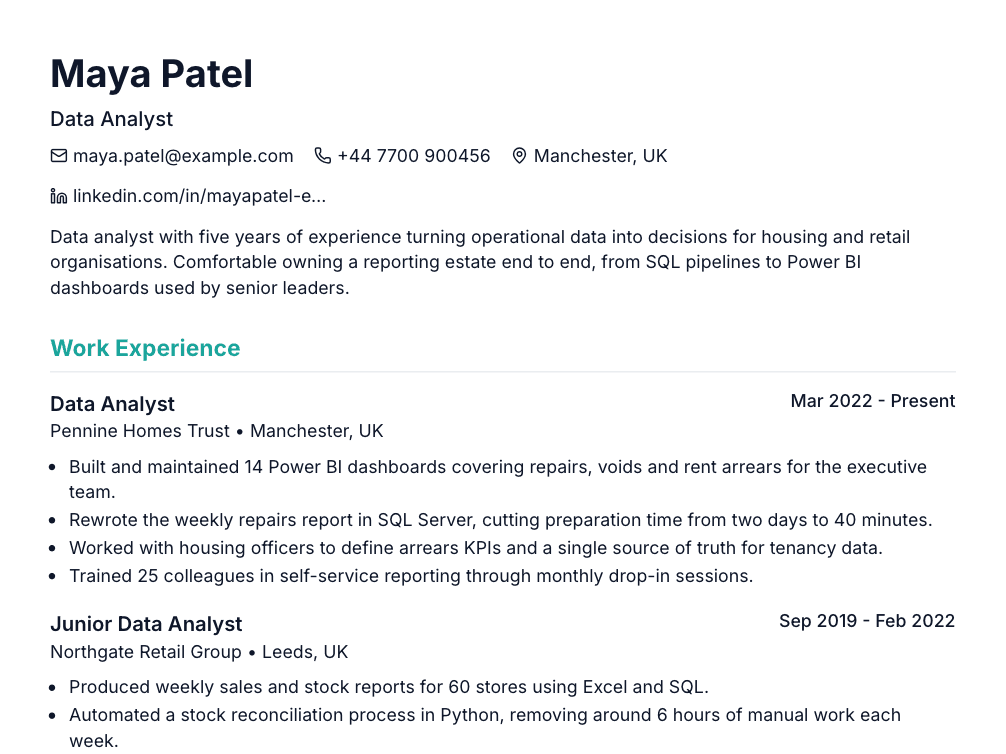
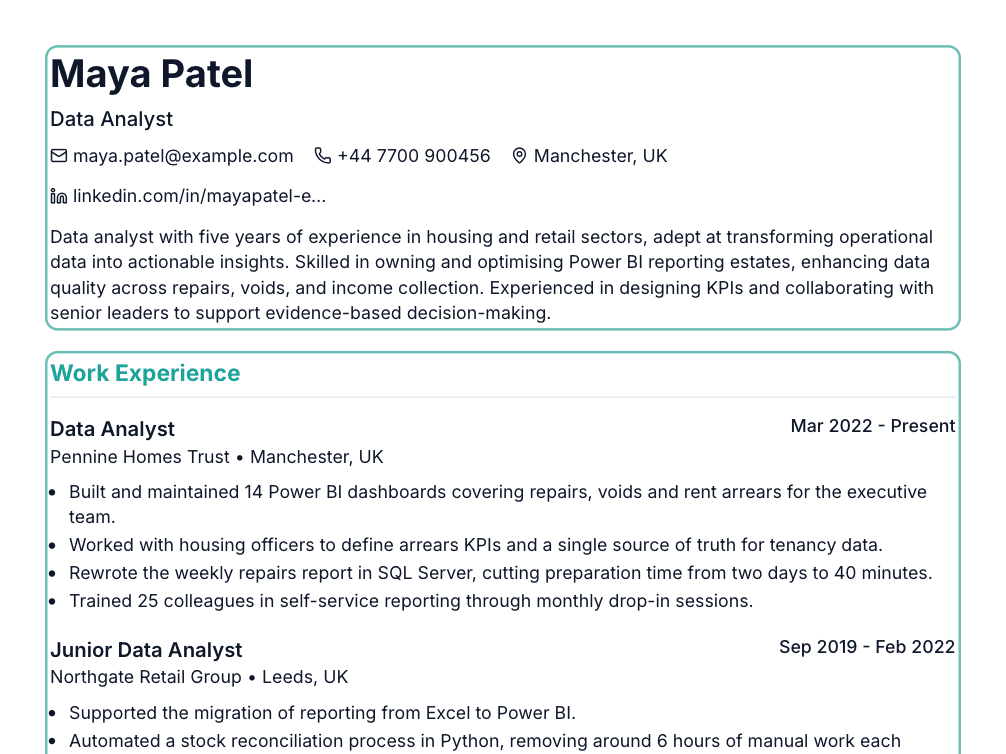
Paste the job ad. Your summary and bullets get rewritten around what the employer asked for, using only facts already on your CV.
Before
After
Upload your CV or paste the text, and see how applicant tracking software reads it. You get a score out of 100 and your top 3 fixes in under 30 seconds. No sign-up needed.
Sample report for a demo CV. Your own report will differ.
3 more sections unlock with a free signup
Scan your CVProfessional designs that help you stand out to recruiters and pass ATS systems
Clean, ATS-optimized design. Perfect for tech, creative, and marketing roles seeking maximum compatibility.
Highly optimized for AI and ATS detection. Maximum compatibility for corporate, finance, and legal industries.
ATS-optimized with modern styling. Ideal for healthcare, education, and design professionals seeking recruiter-friendly formatting.
Start free and upgrade when you need more. No hidden fees.
Pro is $12.99 a month. No trial trap. Cancel any time from Billing.
No card needed. Free stays free.
Starts with a 7-day free trial. Card required, and we email you 3 days before it ends.
Cancel Pro any time from Billing.
One-time purchase
Everything in Pro for 30 days, ad-free, with much higher AI limits and up to 10 cover letters a day. Good for a short, focused job search.
One payment. No auto-renew on the Pass.
Prices in USD. No VAT is added.
| Feature | Free | Pro |
|---|---|---|
| Number of Resumes | 1 resume | Unlimited |
| Professional Templates | 3 templates | All templates |
| PDF Export (No Watermarks) | 1 download or share link per resume | Unlimited |
| Advertising | Shows ads | Ad-free |
| ATS Analyzer | 1 check per resume | Unlimited |
| AI Resume Optimizer | 1 run per resume, 3 suggestions | Unlimited runs, all suggestions, Surprise Me |
| Generic Content Detector | 1 per resume | Unlimited |
| AI Bullet Point Generator | 2 bullets per resume | Unlimited |
| Inline AI Assistant (Improve / Recruiter / Inspire / Custom) | 5 rewrites per day | Unlimited |
| Tailor to a job ad | 3 runs a day | 30 runs a day |
| Career Advisor | 1 report per account | Unlimited |
| CV Upload (AI-powered) | ||
| AI Cover Letter Generator | Preview only | Up to 10 a day |
| Share Resume & Analytics | Uses your 1 free download | |
| Real-time Preview & Auto-save | ||
| Cloud Sync | ||
| Support | Standard | Priority |
Expert Guidance
Master the art of CV writing with our comprehensive guide. Learn industry-proven strategies to stand out, pass ATS systems, and land more interviews.
The foundation of a great resume is a clean, easy-to-scan structure. In a 2018 eye-tracking study by Ladders, recruiters skimmed a resume for an average of 7.4 seconds on the first pass, so your formatting needs to guide their eyes to the most important information immediately. Use consistent formatting throughout, with clear section headers, appropriate whitespace, and a logical flow from most to least relevant information.
Instead of simply listing job duties, great resumes focus on achievements and impact. Every bullet point should answer the question: "So what?" Use the formula: Action Verb + Task + Result with Metrics. For example, instead of "Responsible for social media," write "Grew social media following by 150% in 6 months, generating 2,000+ qualified leads."
One-size-fits-all resumes rarely succeed. Customize your resume for each job by incorporating relevant keywords from the job description and emphasizing the most applicable experience. This doesn't mean lying—it means strategically highlighting what matters most to that employer.
Large employers almost all use an applicant tracking system (ATS): Jobscan's 2026 ATS usage report, published 20 August 2026, detected one at 487 of the 500 largest US companies. A great resume uses ATS-friendly formatting: standard section headers, simple layouts without tables or text boxes, and keyword optimization. SimpleCVBuilder's templates are specifically designed to pass ATS scans while still looking visually appealing to human reviewers.
An Applicant Tracking System is the gatekeeper between you and your dream job. These systems parse your resume, extract relevant information, and score your application based on how well it matches the job requirements. Companies receive hundreds of applications for each posting, and ATS helps them efficiently filter candidates. Understanding this system is no longer optional—it's essential for job search success in 2025.
Using images or graphics for text, placing important information in headers/footers, creating columns with tables, using unconventional section headers like "My Journey" instead of "Work Experience," submitting as .jpg or .png files, or using special characters and symbols.
SimpleCVBuilder takes the guesswork out of ATS optimization. Our AI-powered ATS analyzer gives you a real-time compatibility score as you build your resume, highlighting potential parsing issues and keyword gaps. All our templates are designed with ATS-friendly formatting built in.
Begin each bullet point with a powerful action verb that accurately describes what you did. Avoid weak verbs like "responsible for" or "worked on." Instead, use strong verbs like "spearheaded," "optimized," "generated," "launched," or "transformed." Vary your verb choices throughout your resume to keep it engaging.
Numbers make your achievements concrete and memorable. Whenever possible, include metrics: percentages, dollar amounts, time saved, or volume handled. Instead of "Improved customer satisfaction," write "Improved customer satisfaction scores by 35% over 6 months through implementing new feedback system."
The STAR method (Situation, Task, Action, Result) helps structure your bullet points effectively. For example: "Recognized declining sales in Q3 (Situation), tasked with developing retention strategy (Task), created and launched email nurture campaign (Action), resulting in 40% reduction in churn rate (Result)."
Weak: Responsible for managing social media accounts
Strong: Grew Instagram following from 5K to 45K in 8 months, generating 2,000+ qualified leads and $150K in attributed revenue
Weak: Helped improve team processes
Strong: Redesigned onboarding workflow, reducing new hire ramp-up time by 40% and improving 90-day retention from 75% to 92%
Choose professional, easy-to-read fonts like Arial, Calibri, Georgia, or Garamond. Avoid decorative or overly stylized fonts that can appear unprofessional or be difficult for ATS to parse. Your name should be the largest text on the page (18-24pt), section headers should be 12-14pt, and body text should be 10-11pt.
For most job seekers, one page is ideal if you have less than 10 years of experience. Two pages are acceptable for senior professionals, academics, or those with extensive relevant experience. Never exceed two pages unless you're in a field where comprehensive CVs are standard. Quality trumps quantity—a concise, impactful one-page resume beats a padded two-pager every time.
Spelling and grammar mistakes are the fastest way to get your resume rejected. They signal carelessness and lack of attention to detail. Don't rely solely on spell-check; it won't catch "mange" when you meant "manage." Read your resume out loud, have multiple people review it, and use tools like Grammarly.
Inconsistent formatting makes your resume look unprofessional. Common issues: mixing date formats (Jan 2020 vs January 2020), varying bullet point styles, different spacing between sections, inconsistent capitalization in job titles, and mixing font styles or sizes.
Many free resume builders add watermarks or branding to exported PDFs, which immediately makes your resume look unprofessional. SimpleCVBuilder proudly offers watermark-free PDFs even on our free tier. Your document should represent only you, not advertise someone else's product.
Changing careers can feel daunting, but the key is reframing your experience to highlight transferable skills. Instead of focusing on industry-specific jargon, emphasize universal competencies like leadership, communication, problem-solving, and project management. Use a Skills-Based or Combination resume format that leads with relevant abilities rather than chronological work history.
Consider creating a "Freelance Consultant" or "Independent Contractor" entry with a single date range, then listing key clients and projects as bullet points underneath. Focus on outcomes and deliverables: "Developed e-commerce platform for boutique retail client, resulting in 200% increase in online sales."
Create a prominent Technical Skills section early in your resume, organized by category (Languages, Frameworks, Tools, Databases). In your experience section, quantify technical impact: "Optimized database queries, reducing page load time by 60% and improving user retention by 25%."
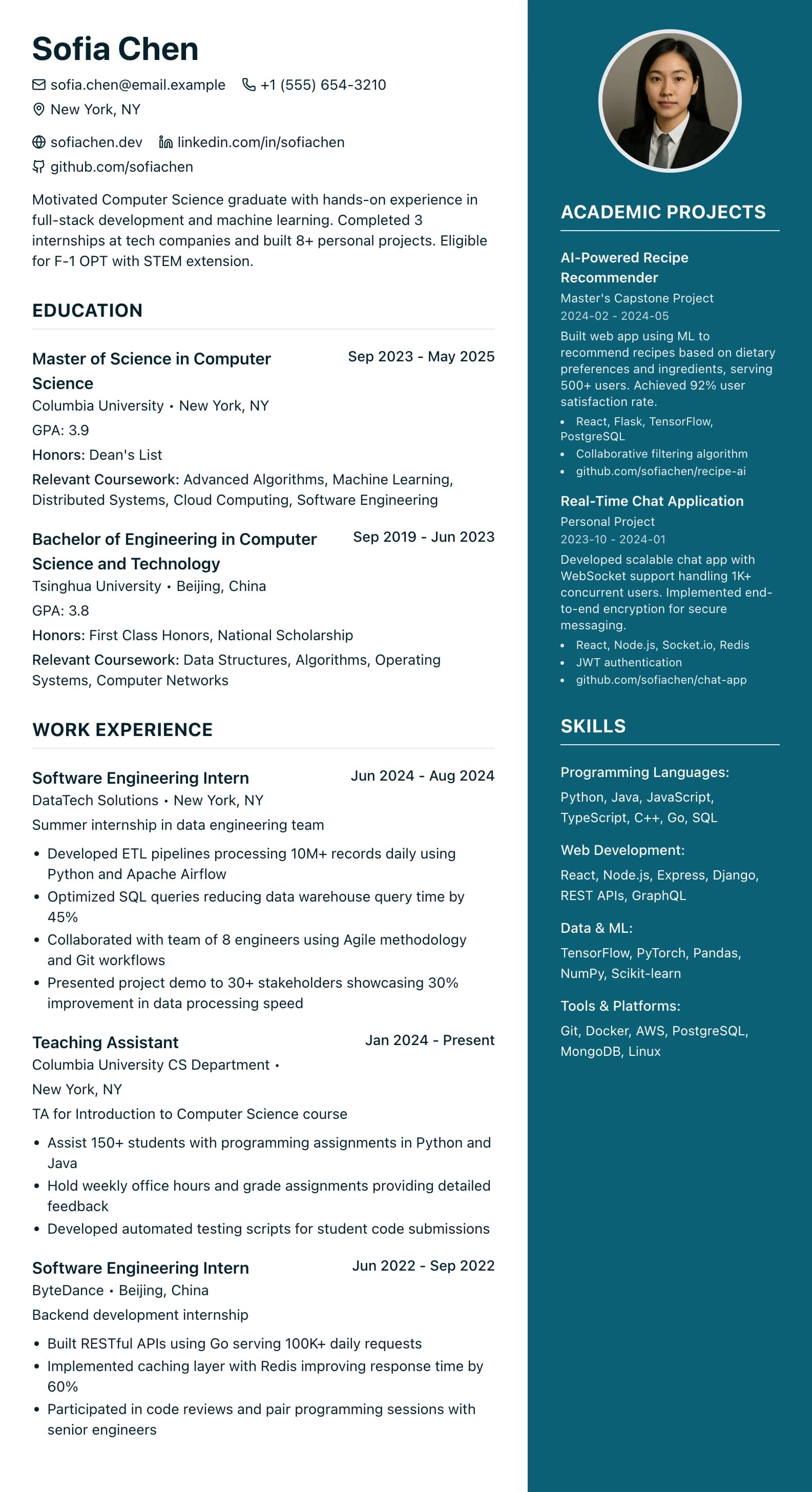
International students often have limited US work experience, so emphasizing education becomes crucial. Place your Education section near the top, and include relevant coursework, academic projects, research experience, and GPA if it's strong (3.5+). If you have work authorization (OPT, CPT), mention it clearly.
Your resume is often your first impression with a potential employer. A watermark that says "Created with FreeResumeBuilder.com" or similar branding immediately signals that you either couldn't afford a professional tool or didn't care enough to invest in your job search. Professional presentation demonstrates attention to detail and respect for the opportunity.
Watermarks and builder branding distract from your actual qualifications. When a hiring manager gives your resume a few seconds on the first pass, every element should be working to sell your candidacy, not advertising another company's product. Your resume should be about you and only you.
At SimpleCVBuilder, we believe that every job seeker deserves a professional-looking resume, regardless of their ability to pay. That's why every PDF you export here is watermark-free, including on the free tier. You can create 1 resume, use our ATS optimization tools, and export professional PDFs with absolutely no branding, forever free. Pro is $12.99 a month, with no trial trap, and you can cancel any time from Billing.
Your first CV is free, with a watermark-free PDF and no credit card needed.

